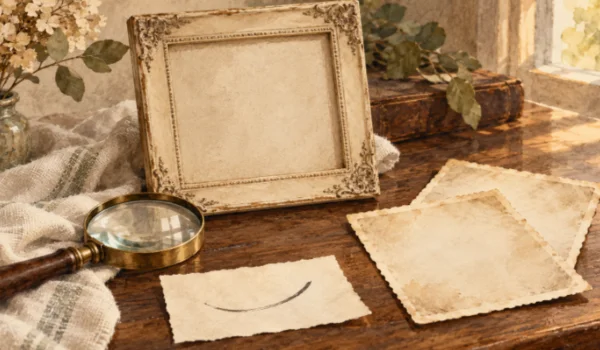
The smile is slightly crooked. One eyebrow sits higher than the other, and the person seems about to say something. Those small irregularities may be what a family recognizes in an old photograph. A restoration that smooths the face into a balanced, generic expression can remove the very detail that made the picture worth keeping.
Ask a relative what they recognize before opening an AI Photo Editor. Their answer gives the restoration a more useful target than flawless skin or perfectly even features. PicEditor AI can generate a repaired candidate from the uploaded photograph, but the comparison should return to that familiar mouth, gaze, or tilt of the head. The aim is a portrait the family still recognizes, with less distracting damage around the details that matter.
Recognition Often Lives in the Uneven Details
A face can remain recognizable even when the print is faded. Someone who knew the subject may notice the angle of a grin, the way the eyes narrow, or the tilt of the head before noticing damage to the paper. These observations provide a starting point for review. Ask what makes this particular picture feel like the person, and write down two or three visible cues.
Keep the cues specific enough to compare. “It should look like her” is important but difficult to act on. “The left corner of the mouth rises more” identifies a region to inspect. The aim is not to turn a family memory into a measurement exercise. It is to preserve the details that a restoration might otherwise make more symmetrical or conventional.
Separate visible features from uncertain recollections. A relative may remember a particular eye color, but a damaged monochrome print cannot confirm it. Record that memory as context rather than treating it as evidence already present in the photograph. For an expression-focused restoration, you may not need to introduce color at all. Reducing distractions around the face can be enough.
Repair Changes How the Face Is Read
A scratch crossing a cheek is an obvious distraction. A faint line near the mouth is harder to judge because it might be damage, a crease in the print, or part of the expression. Restoring that region requires an interpretation of the image. The result may look coherent without resolving which interpretation was historically correct.
PicEditor AI can generate a repaired version from the uploaded photograph. Review it alongside the source, paying particular attention to the areas identified earlier. A cleaner background or reduced surface damage may help the portrait read more clearly. New details around the eyes, teeth, or mouth deserve closer attention because they can alter the apparent mood of the person.
For an AI photo edit, a useful distinction is between removing an interruption and changing a gesture. Repairing a pale scratch across a jacket may leave the expression unaffected. Redrawing the edge of a lip can turn a restrained smile into a broad one. Both are small regions of the image, but they carry different amounts of meaning.
Inspect the whole face before zooming into isolated details. A technically neat eye can still look wrong in relation to the other eye or the angle of the head. Then enlarge the specific cues you recorded. Move between the overall impression and the local evidence so that attractive detail does not distract from a changed expression.
Ask a Familiar Viewer What Changed
Show the source and candidate to someone who knows the subject, if that is practical. Begin with an open question about what feels different. Do not point immediately to the region you suspect; that can steer the response toward your own concern. A spontaneous observation about the smile or gaze may reveal something a pixel-by-pixel inspection missed.
Using an AI Photo Editor does not make family agreement automatic. Two viewers may remember the person differently, or prefer different photographs. Treat their comments as information about recognition rather than a vote proving historical accuracy. If one says the face looks too cheerful, ask which visible detail produces that impression and compare it with the original.
In a hypothetical review, a relative might prefer the candidate’s clearer clothing but dislike its newly even smile. That is a useful response because it separates a successful repair from a questionable facial change. Keep the observation attached to the file. It explains why the most polished version may not be the one chosen for the family album.
An AI photo edit can also make an expression seem unfamiliar by changing contrast rather than shape. A darker line around the mouth or brighter eye area may alter where attention falls. Check those relationships before concluding that every difference is a newly invented feature. The practical decision remains the same: whether the candidate preserves the expression you meant to retain.
Choose the Amount of Repair the Picture Needs
PicEditor AI is useful here as a source of a restoration candidate, not as the final judge of resemblance. If a candidate changes the defining expression, set it aside. Keep the source available while deciding whether another candidate is worth generating. There is no requirement to accept a smoother face simply because the paper damage is less visible.
If the original print is still available, check whether a better scan reveals more of the mouth or eyes before attempting further repair. A blurred scan can hide expression cues that remain visible on the paper.
Consider the intended use before demanding perfect detail. A small album print may benefit from clearer contrast and fewer large scratches while still retaining some age. A large framed print makes facial changes easier to notice. Review the image at something close to the intended size so that the decision reflects how the family will actually encounter it.
- Does the mouth retain its familiar angle?
- Do the eyes and eyebrows suggest the same mood?
- Has a mark been removed that may belong to the face?
- Does the portrait still feel recognizable at print size?
If another clear photograph from a similar period exists, it can help distinguish a recurring feature from a damaged area. It will not prove the exact expression in this moment, but it may explain why a particular asymmetry matters. Use that reference carefully, keeping the goal focused on this photograph rather than replacing its character with a different portrait.
Keep the Expression That Started the Conversation
The best family restoration may leave a little visible age in place. What matters is whether the picture still carries the gesture that people remember. PicEditor AI can help explore a cleaner version, while a side-by-side review keeps the familiar mouth, gaze, and head angle central to the decision.
Choose the candidate you would want to discuss with someone who knew the subject. If the first response is recognition rather than surprise at a different face, inspect the remaining repairs and prepare the intended print. If the expression feels wrong, return to the source instead of polishing the unfamiliar version further.

Santosh Kumar is a Professional SEO and Blogger, With the help of this blog he is trying to share top 10 lists, facts, entertainment news from India and all around the world.