In the modern, high-speed, digitalized society, captions are a necessity for video communication. Most viewers consume silent videos, particularly on social media, on their way to work, during breaks, or even in social areas. Captions ensure your message is received by the audience, even when audio is not provided. The use of animated captions, especially, enhances the viewing experience by blending motion and text to keep the audience engaged and interested in important details. The AI video editor created by Pippit is a smooth solution that automatically generates captions, enabling creators to produce high-quality videos without the tedious manual work.
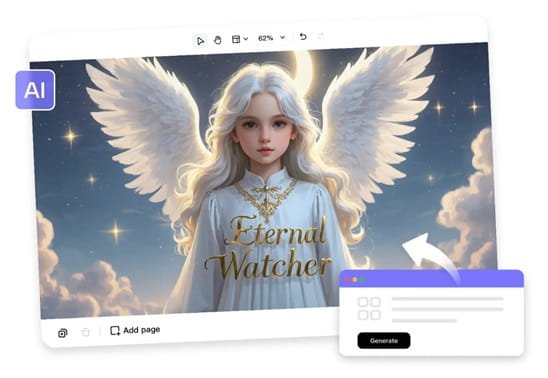
The Importance of Captions in Video Communication
Captions make content more accessible to diverse audiences, including those with hearing impairments or non-native speakers. They can help viewers to understand content without sound; therefore, your message will be clear in noisy or sound-off environments. Captions provide more meaningful retention and comprehension of key messages by visually reinforcing the message, making your content more effective. Captions in videos also increase engagement metrics because users tend to spend more time on them and engage with videos they can comprehend. Pippit’s free AI video editor simplifies this process by automatically generating accurate captions that save time while enhancing accessibility.
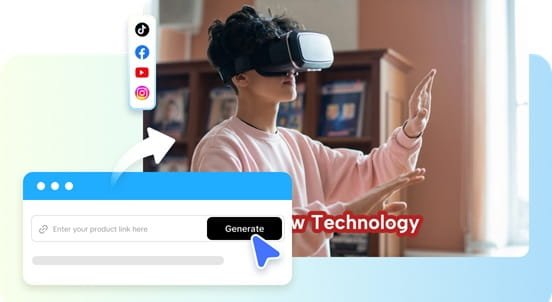
How Animated Captions Enhance Visual Storytelling
Text overlays are brought to life with animated captions that add movement complementary to the images in a video. They emphasize key words or phrases, and viewers focus on the most vital information. Powerful animations are easier to read, and more users can digest information better. The pacing of the storytelling is also facilitated by animated captions, as the creators can match the text to the transitions between scenes and to the story itself. By integrating these features, along with tools like a cartoon character maker, videos become more engaging, memorable, and visually dynamic, leaving a stronger impression on viewers.
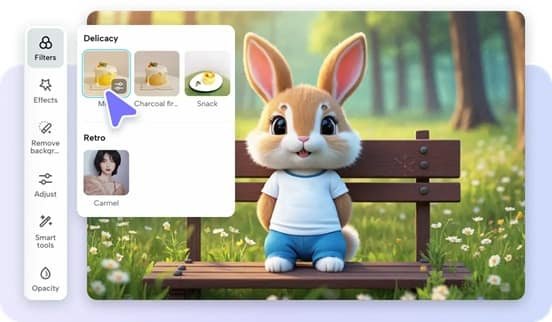
AI Captioning Technology Explained
The current AI captioning system is premised on high-level speech recognition, which allows proper speech-to-text conversion. Captions will be automatically in sync with audio; that is, no manual adjustments are required. AI styling enhances the legibility of captions by selecting appropriate fonts, font sizes, and line spacing. Editing tools can be further customized; you can adjust animations, colors, and timing to maximize the effects. This will save time and preserve professionalism, and it can be easily integrated with animated captions without any sophisticated video editing experience.
Caption Tools Available in Pippit’s AI Editor
- Automatic Caption Generation: Translates speech into synchronized captions, which saves a lot of time on handwritten subtitles.
- Animation Styles: It provides dynamic caption effects to create a modern video and tell the story more visually through movement.
- Text Customization: Customize font, size, color, and alignment to ensure brand consistency in captions.
- Multi-Language Caption Support: Allows captions to be used with multilingual audiences to help reach more viewers.
- Precise Caption Editing: Allows manual adjustments after AI generation, ensuring accuracy and readability.
Steps to Add Animated Captions Smoothly With a free AI video editor
Step 1: Begin caption-focused video creation
1. First, access Pippit and sign up to begin creating caption-enhanced videos efficiently.
2. Navigate to the “Video generator” tab in the dashboard to start planning the caption animation.
3. Enter a detailed prompt that clearly explains the caption style, animation behavior, and video scene structure.
4. Click “+”, then upload images, videos, files, or links that support caption-driven storytelling.
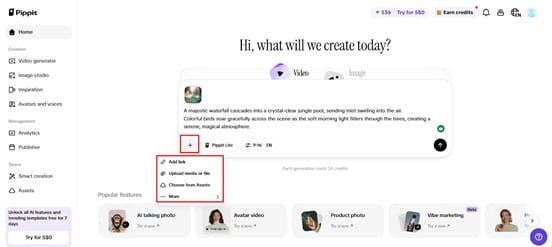
5. Select “Pippit Lite” mode, then choose video duration, language, and a suitable aspect ratio.
6. After carefully preparing all details, click the “Generate” tab to start production.
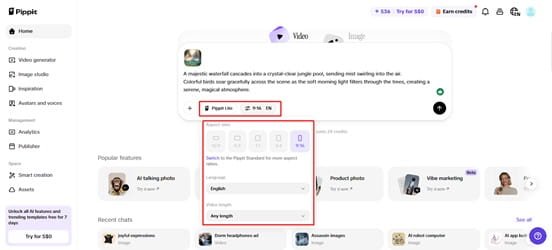
Step 2: Let AI animate captions automatically
1. After clicking “Generate”, the AI video generator processes prompt instructions and creates draft videos.
2. The AI video editor manages transitions, pacing, and caption animations, improving the overall viewing experience.
3. It automatically inserts avatars, voice, captions, lyrics, and media, enhancing the flow of visual storytelling.
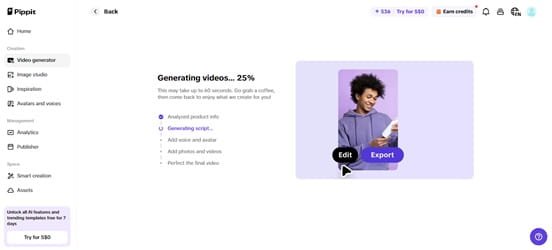
4. You receive multiple drafts, choose the preferred version, then click “Edit more” to adjust captions.
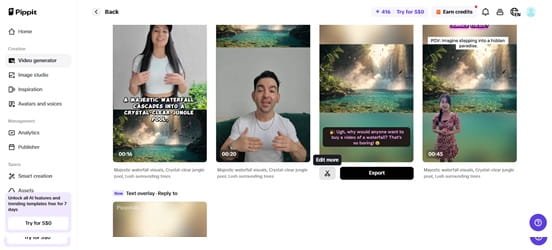
Step 3: Customize captions and export
1. Edit captions manually, insert additional text, and customize font size, colors, alignment, and placement.
2. Add filters, apply effects, include music, or remove backgrounds to create a polished caption presentation.
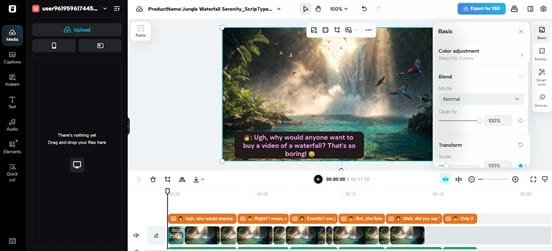
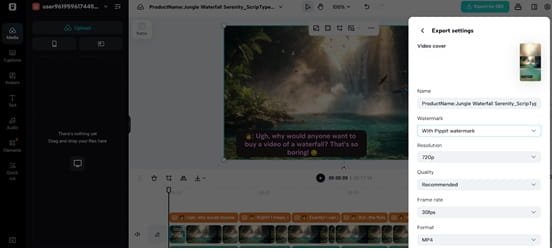
3. When the video appears complete, click the “Export” tab in the top-right interface.
4. Choose “Publish” for social sharing, or click “Download” to save the customized caption video.
Creative Caption Styling Techniques
Your video is animated and bold, and the points are clear. The color changes help to capture the attention of the serious content without breaking the visual harmony. Having captions that follow the scenes enhances the story and viewer interest. Stable typography will give it a professional appearance and brand recognition. Motions used intelligently make the material attractive to the eye and help you capture the attention of your audience on what you are saying. Creative styling also integrates well with AI-driven features, such as the AI background generator, to produce polished, professional videos.

Optimizing Captioned Videos for Social Platforms
Add captions that can be read on small screens, as most social media traffic is made up of mobile users. Keep the text short to enable people to read and not lose valuable information. Vary the timing of audio and captions to make both clear, removing any overlays that are not synchronous. When testing videos, it is necessary to use several formats to make sure that captions are shown properly on different platforms and devices. Enhanced captions are less formal and more interactive, sharing is promoted, and content is more accessible to a wide audience.
Conclusion
Captions have now become a crucial part of contemporary video content, enhancing accessibility and retention. Visual storytelling is further enhanced with animated captions to emphasize key details and keep the audience engaged. The AI caption tools from Pippit make it easy to produce professional-quality captions that save time and are accurate and easy to read. Furthermore, the use of animated captions will make videos more interactive, interesting, and easier to watch, enabling creators to convey their message more effectively.

Santosh Kumar is a Professional SEO and Blogger, With the help of this blog he is trying to share top 10 lists, facts, entertainment news from India and all around the world.